Brawl Stars profile image
Enter your tag to create an image with all your progress: trophies, Ranked, prestige, collection and every Brawler, ready to download and share.
What it looks like
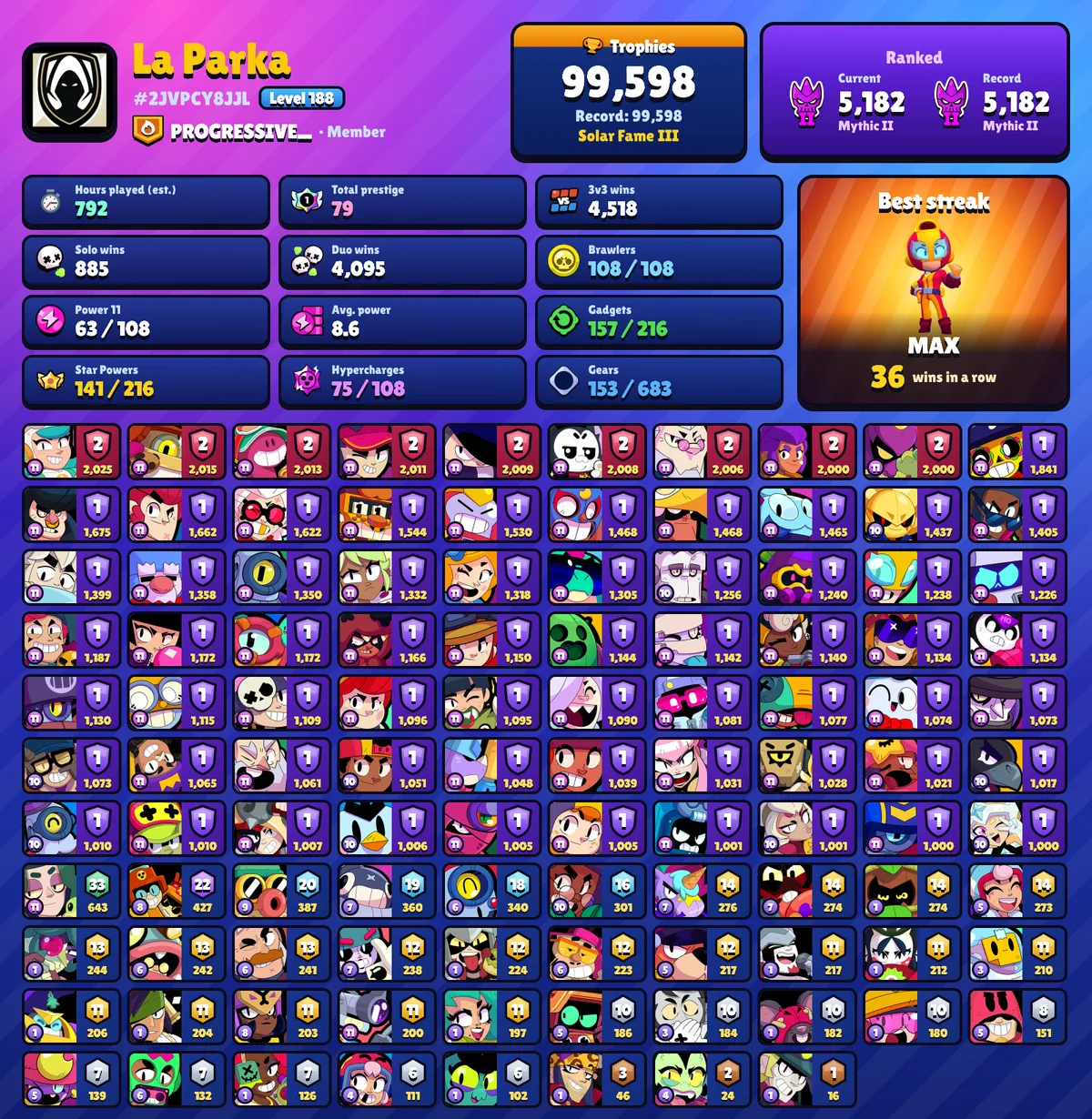
What the image includes
Header
Your icon, your name in its in-game color, your tag, your level, and your club and role.
Trophies and Fame
Your current trophies, your trophy record and your Fame tier, if you have one.
Ranked
Your current and best Ranked rank, with their points and icons. If you haven’t played Ranked, this section is hidden.
Stats
Total prestige, your best win streak and the Brawler you got it with, 3v3, Solo and Duo wins, and your Brawlers’ average Power Level.
Collection
Unlocked Brawlers, Brawlers at Power 11, and your Gadgets, Star Powers, Hypercharges and Gears compared with the game’s total.
All your Brawlers
Every Brawler with its rarity color, Power Level, prestige and trophies, sorted the way you choose.
How to create it
- 1
Enter your tag. It starts with # and you’ll find it on your in-game profile.
- 2
Choose how to sort your Brawlers: by prestige, trophies or Power Level.
- 3
Tap “Download image” and share it wherever you like.
The image uses your account’s official data at that moment. The first time, it can take a few seconds while we gather a picture of each of your Brawlers.
The image only shows real data from your account: if something isn’t on your profile, it isn’t on the image either.